You're all set ๐ŸŽ‰

Change WebP to JPG โ€” right in your browser, nothing uploaded.

๐Ÿ”’ 100% on-device ยท ๐Ÿšซ no image tracking ยท โšก instant
Add to Chrome

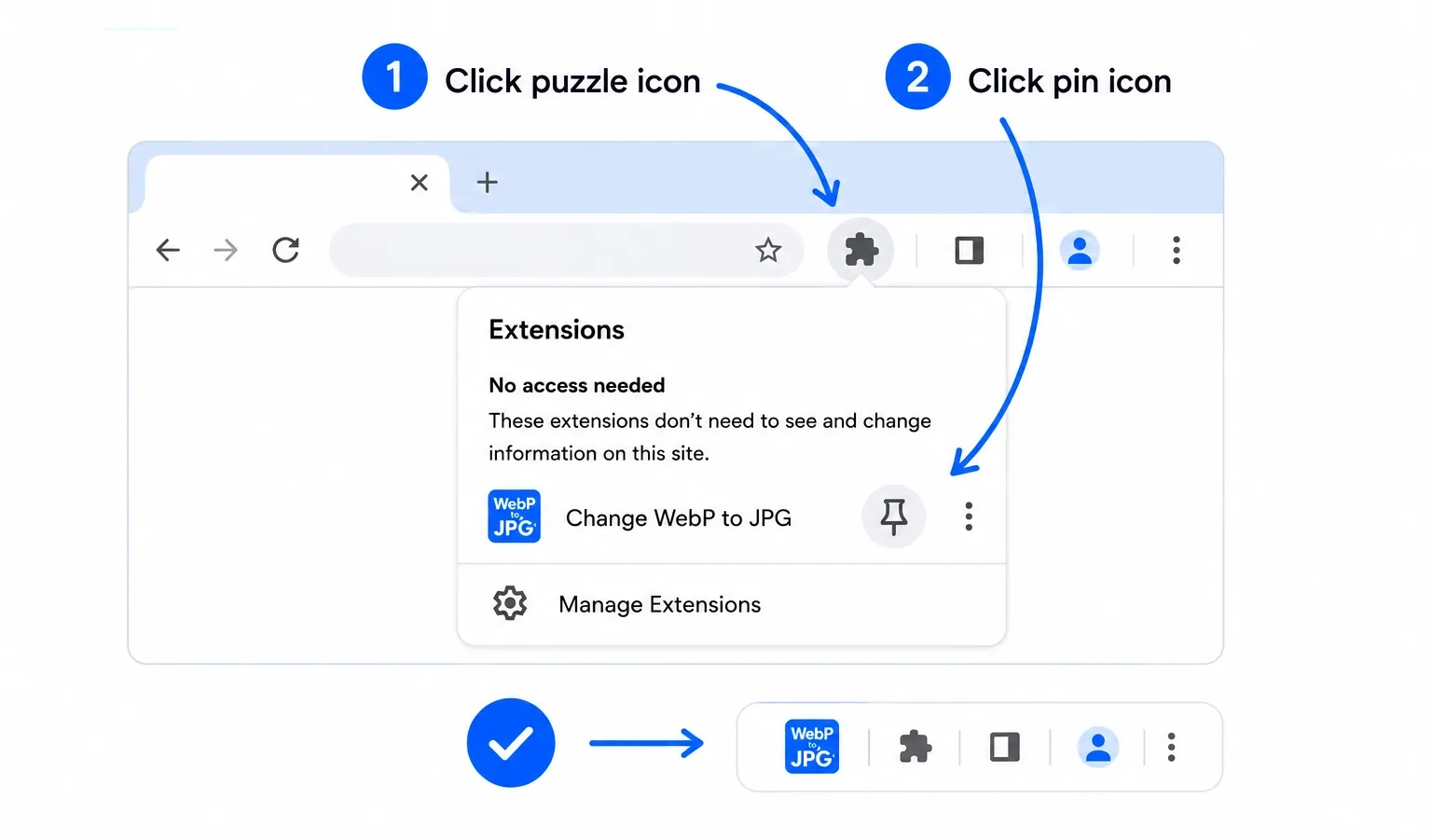
Pin the icon โ€” do this first

Step 1: click the puzzle icon in the Chrome toolbar, then click the pin next to Change WebP to JPG. The icon is now pinned to your toolbar.

Now โ€” how to use it ๐Ÿ‘‡

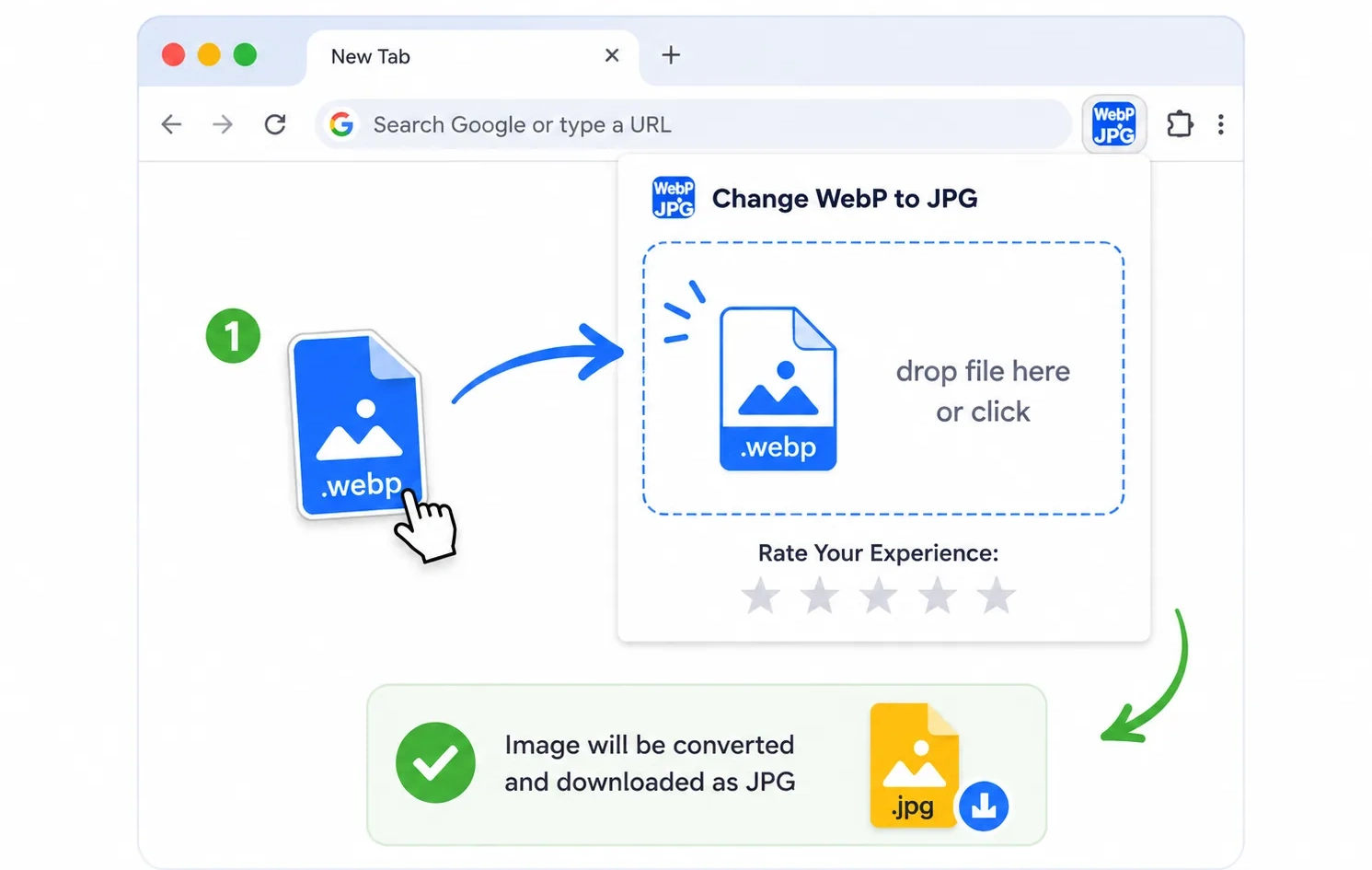
Way one โ€” drag & drop a file

Way one: click the pinned icon to open the popup, then drag a WebP file onto the drop zone (or click to browse). The image is converted and downloaded as a JPG.

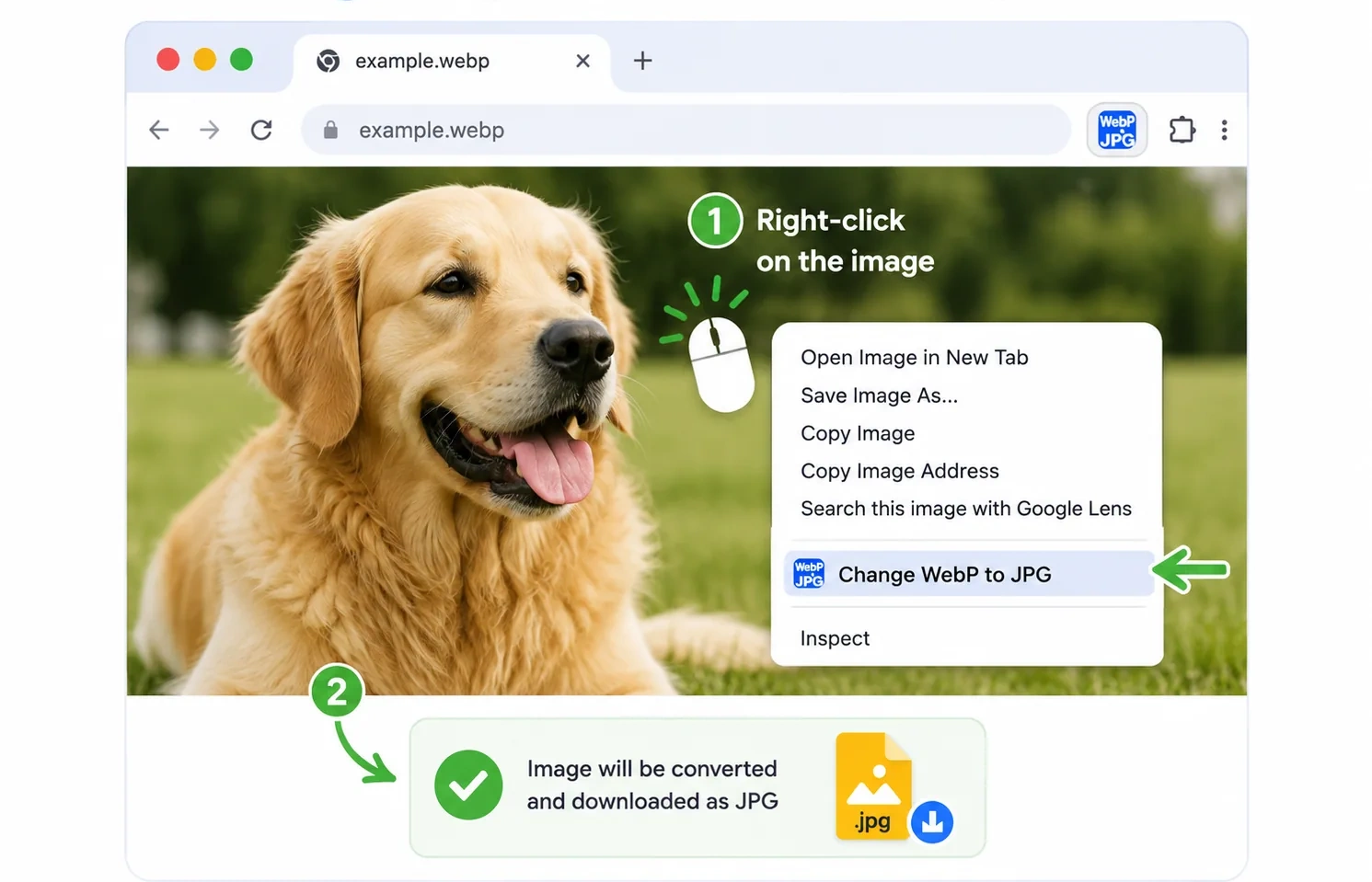
Way two โ€” right-click any image

Way two: right-click any image on a page (or a local WebP file opened in Chrome) and choose Change WebP to JPG. The image is converted and downloaded as a JPG.